KidloLand Kids & Toddler Games
- 4.6
- Rating
- 10.00M
- Installs
- Free
- Price
 Analysis by App-foxy
KidloLand Kids & Toddler Games is the kind of educational game that can make a busy afternoon easier for a parent. I found its strongest appeal in the quick transition from restlessness to focused play: a child can open it and move straight into preschool-style activities instead of needing a long explanation. It is made for young children, especially toddlers and preschoolers, and its broad collection of learning games gives it more range than a single-purpose alphabet app.
That range is also the central question. A child may enjoy the bright, simple activities during the first few days, but lasting value depends on whether the game becomes part of a sensible routine rather than a default screen-time button. My overall impression is positive, with an important qualification: KidloLand works best as a guided learning companion, not as a replacement for conversation, drawing, books, or hands-on play.
What the first week feels like for a young child
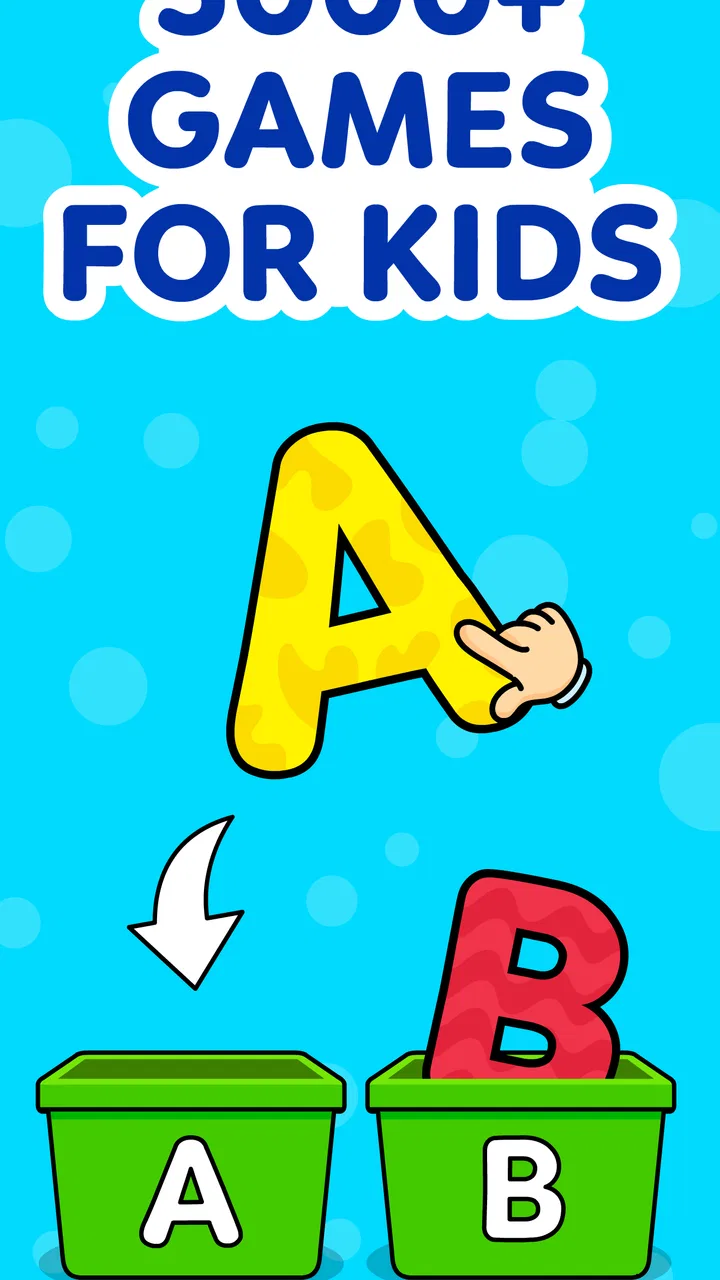
The first sessions are easy to start. The store positions it around preschool learning and ABC activities for children aged two, three, and four, and that focus comes through in the way the experience is aimed at recognition, repetition, and simple interaction. A child who is still learning how to use a touchscreen does not need advanced reading skills to understand the basic idea of tapping, choosing, and trying again.
You May Also Like

 Blood Strike: 2.5 Anniversary
Blood Strike’s Loadouts Turn Every Drop Into a Tactical Gamble
A close look at Blood Strike’s custom loadouts: how fast access to signature weapons reshapes its battle royale rhythm, rewards preparation, and narrows the gap between fights.

 Pandora - Music & Podcasts
Pandora’s Music Is Easy to Start, but Harder to Recover
Pandora’s strength is its low-effort path from a seed to a station. Its weak spot is how much confidence it asks you to place in connection, setup, and quiet recovery.

 8 Ball Pool
 Is Built on Rivalries, Rematches, and Routine
A close look at the rivalries, rematches, shared routines, and unanswered safety questions that turn a quick pool match into a persistent mobile community.

 Samsung Music
’s Quiet Strength Is Playing What You Already Own
Its reach comes less from spectacle than from dependable access to a personal library. That simplicity is both the app’s strongest retention engine and its ceiling.

 AccuWeather: Weather Radar
AccuWeather Review: A Quick, Clear Forecast for Everyday Decisions
For everyday plans, the best forecast is the one you can understand quickly. AccuWeather makes rain timing, radar, and local conditions easy to act on, with a few trade-offs.

 Hill Climb Racing
Why Hill Climb Racing Still Turns Crashes Into One More Run
A tiny car, a bumpy hill and one more upgrade: Hill Climb Racing keeps resurfacing because its simple chaos makes every near-miss feel personal.
More From Our News Desk



I particularly like that the game can suit different attention spans. A parent may have only a few quiet minutes while preparing lunch, while another child may want a longer sitting with several activities. This flexibility matters with toddlers because their interest can change suddenly. A short activity can feel complete rather than frustrating, while a curious child can continue exploring without being pushed into a formal lesson.
The early appeal is not just visual excitement. For a young learner, repeating an alphabet sound, identifying a familiar object, or completing a simple matching task can build confidence. The important part is how an adult responds. When I imagine using it with a child, I would sit nearby during the first sessions and turn taps into conversation: “What is that?” “Can you find another one?” “Which sound comes first?” That small addition makes the game more educational than leaving the child alone with a screen.
Parents should also set expectations before handing over the device. Free access makes it easy to try, but the presence of in-app purchases means the adult should manage the store account and purchasing settings. The available purchases range from $1.99 to $59.99 per item, so I would not treat the game as something a child should navigate independently. A child-friendly interface does not automatically mean every purchase decision is child-friendly.
The game is free to download, which lowers the barrier for families who want to test the style before committing money. That is useful because educational games are highly personal. One child may enjoy repeating familiar concepts, while another may lose interest quickly and prefer physical blocks or a storybook. Trying it during a calm period, rather than introducing it in the middle of a meltdown, gives a much clearer impression of whether it fits your child.
Its age rating of Everyone is reassuring for families looking for general child-oriented content, but parents still need to judge whether the activities match their own child’s development. A two-year-old who is just learning to tap may use it differently from a four-year-old ready to recognize letters and follow more involved instructions. The same app can therefore feel either pleasantly simple or too repetitive depending on the learner.
Turning the first sessions into learning rather than tapping
A useful first-week routine is to choose one small theme before opening the game. For example, after playing an alphabet activity, ask the child to find objects at home beginning with the same sound. After a color or shape exercise, look for matching items in the room. This creates a bridge between the digital activity and the child’s surroundings, and it prevents the app from becoming an isolated stream of screen gestures.
I would also avoid measuring success by how long the child stays occupied. Longer play is not automatically better learning. If a child starts guessing randomly, tapping rapidly, or asking to switch constantly, the session has probably reached its natural end. Closing the game while the child is still comfortable can make the next session easier to start and reduces the chance that the app becomes associated with pressure.
Another practical tip is to keep the device at a shared viewing angle instead of placing it directly into the child’s hands every time. Sitting beside the child makes it easier to notice whether the activity is genuinely understood or merely completed through trial and error. That distinction is important in preschool learning: a correct tap can show recognition, but it can also be a lucky guess.
Whether it still earns attention after the novelty fades
The month-to-month value comes from variety more than from a single deep learning path. Because this is an educational game rather than a dedicated reading course, I see it as a flexible practice space. It can revisit early concepts in different moments, support a child who enjoys repetition, and provide a gentle introduction to using learning software. It is less convincing as the only tool for building literacy or numeracy.
That trade-off makes it suitable for families who want a broad preschool activity library. If your child enjoys switching between alphabet practice and other simple learning tasks, the variety can keep the experience useful beyond the first burst of excitement. On the other hand, a parent looking for a carefully sequenced program with visible mastery stages may prefer a more specialized educational product.
The developer, IDZ Digital Private Limited, has made a game that is approachable rather than intimidating. That is a strength for early learners, but approachable design can also mean the child is revisiting familiar ideas without a clear sense of progression. I would use it to reinforce topics already introduced at home or in preschool, not to assume that completing activities means the child has fully learned them.
For recurring value, routine matters more than novelty. A practical pattern might be two or three short sessions during the week, each followed by a real-world activity. One day could connect an alphabet game with a picture book; another could connect shapes with a scavenger hunt around the house. This approach gives the app a supporting role and makes repeated use feel purposeful rather than automatic.
It is also worth rotating who participates. A parent might guide the first session, an older sibling might ask questions during another, and the child might explore independently for a short period later. The goal is not to supervise every tap forever, but to gradually learn which activities the child understands and which ones need explanation. That observation is one of the more valuable benefits of using the game thoughtfully.
Families with more than one young child may find the broad age range convenient, although the experience will not be identical for siblings. A younger child may enjoy the immediate cause-and-effect interaction, while an older preschooler may need extra questions or offline follow-up to stay challenged. Rather than expecting one shared session to suit everyone, I would let each child choose an activity at an appropriate level and keep the shared part focused on talking and comparing.
How it compares with books, worksheets, and focused learning apps
Compared with an alphabet book, the game offers more immediate interaction and feedback. A child can actively respond instead of only looking at a page, which may help maintain attention during a short practice session. The book still wins for shared language, imagination, and the ability to slow down without notifications or purchase prompts. I would use both, because they develop different habits.
Compared with worksheets, the game is less demanding in terms of fine-motor control and writing readiness. That makes it welcoming for children who are not yet comfortable holding a pencil, but it also means it cannot provide the same kind of handwriting practice. If your main goal is tracing, drawing, or building pencil control, a physical activity is the better choice.
Compared with a narrowly focused phonics app, KidloLand is broader and likely easier to use as a general preschool activity. The specialized app may be stronger when a child needs systematic sound instruction or a clear progression through reading skills. I would choose this game for variety and choose the focused alternative when a teacher or parent has identified one specific area that needs sustained practice.
Its rating of 4.4 from around 41 thousand ratings, together with over 10 million installs and approximately 1.2 thousand written reviews, suggests that many families have found the general format appealing. Those figures do not tell me whether it will suit a particular child, but they do indicate that this is an established choice rather than an obscure experiment. The more useful question for an individual family is whether its broad, repeatable activities fit the child’s temperament and current learning needs.
What creates maintenance work for parents
The game is easy for a child to approach, but maintaining a healthy role for it requires adult decisions. Parents need to decide when it is available, how long a session should last, and whether the child is using it actively or simply filling time. Without those boundaries, a collection of short activities can become a convenient habit that is difficult to interrupt.
I would create a simple rule before regular use: the game comes after one offline activity, or it is limited to a defined part of the day. This does not need to feel strict or punitive. The point is to make the app predictable. Young children often handle transitions better when they know what comes next, so announcing the final activity before closing can be more effective than taking the device away without warning.
Purchase management is another maintenance task. Since the game is free but includes optional items priced from $1.99 to $59.99, adults should review the purchase controls before allowing independent play. I would also explain in plain language that tapping a colorful button is not the same as permission to buy something. This is a small lesson in digital boundaries, and it protects the family from turning a learning session into an unexpected account problem.
Because the game is designed for young children, I would periodically sit through an activity rather than assuming the child is always engaging with it correctly. This helps identify repeated guessing, boredom, or confusion. It also gives parents a chance to notice when the child has outgrown a particular type of exercise and needs a more demanding offline challenge.
The release date is April 19, 2013, so I would approach it as a mature product rather than expecting every part of the experience to feel designed around the newest mobile habits. That is not automatically negative. A long presence can mean the basic concept has staying power, but it also makes it sensible to judge the current experience on its own terms and not assume that an older app will match the polish or teaching structure of newer specialist tools.
Maintenance also includes keeping the device experience calm. If the child moves from the game directly into unrelated videos or games, the educational purpose can disappear. I prefer to open it for a specific reason, stay nearby for at least part of the session, and close it before moving to another kind of screen entertainment. That workflow takes more effort than handing over a device, but it produces much better long-term use.
Why fatigue can appear despite the variety
Variety does not guarantee freshness. Preschool children often enjoy repetition, but they can also become tired of the same interaction pattern: tap, receive a response, and move on. If the child starts asking for a different game without being able to explain what they learned, the app may be providing stimulation more successfully than progress.
Parents may also feel fatigue from repeatedly guiding the same concepts. That is why I would avoid trying to complete every available activity. Choose a small group that matches the child’s current interests, then connect those activities with physical play. The game becomes more sustainable when it is one prompt among several, not a curriculum the adult must constantly manage.
Another source of friction is the gap between recognition and production. A child may identify a letter or picture on screen but still struggle to say the sound, draw the symbol, or find a real-world example. I would treat successful interaction as an invitation to ask a follow-up question, not as proof that the skill is mastered. This is one of the most important limitations to remember when judging any preschool game.
Some children will also find the broad approach less satisfying than a clear goal. If your child wants to know what comes next, track progress, or work toward a specific reading milestone, a structured educational program may provide stronger motivation. KidloLand is better for flexible practice and low-pressure exploration than for children who need a carefully staged challenge.
My long-term verdict for families
After the first-week excitement fades, I think KidloLand Kids & Toddler Games can earn a place on a family device, but only if its role stays modest and intentional. Its free entry, Everyone rating, preschool focus, and wide appeal make it easy to try. The 4.4 average and large install base reinforce the impression that it has become a familiar option for families seeking early-learning activities.
My recommendation is strongest for parents who want short, accessible practice sessions and are willing to talk with the child afterward. It is a good fit for a toddler beginning to explore letters and simple educational interaction, for a preschooler who enjoys repeating familiar concepts, or for a parent who needs a flexible activity during a brief everyday pause.
I would be more cautious if you want a complete early-reading course, handwriting instruction, detailed progress tracking, or a screen-free learning experience. In those cases, books, manipulatives, teacher-led activities, and specialist apps may serve the goal better. I would also skip it if your family already struggles with device transitions and does not want to manage optional purchases or establish clear screen boundaries.
The most effective everyday scenario is simple: after breakfast, a child plays one short activity with a parent nearby; afterward, the parent asks the child to find a matching letter, color, or object in the room. On another day, the same game might fill a quiet waiting period, followed by a story or drawing activity. Used this way, the digital session starts learning rather than pretending to finish it.
In my view, the lasting value is not hidden in endless screen time or in trying to cover every activity. It comes from using the game as a repeatable prompt for conversation, recognition, and offline practice. Keep the sessions short, control purchases, connect the screen activity to real objects, and stop when attention drops. With that approach, this educational game feels worthwhile; without it, the novelty is likely to fade much faster than the learning.
KidloLand Kids & Toddler Games is therefore a useful supporting tool, not a complete preschool plan. I would recommend trying it for families who want an approachable free starting point, while keeping expectations realistic about repetition, supervision, and the difference between tapping an answer and truly understanding it.
FAQs for KidloLand Kids & Toddler Games
01What is KidloLand Kids & Toddler Games?
KidloLand Kids & Toddler Games is an interactive educational app designed for children aged 0-5. It offers a wide range of engaging activities, including songs, stories, and games that foster learning in a fun environment. The app aims to enhance cognitive skills, creativity, and problem-solving abilities through interactive play.
02Is KidloLand safe for my child to use?
Yes, KidloLand is designed with child safety in mind. The app is free from ads and inappropriate content, ensuring a safe digital environment for young users. Parents can rest assured knowing that all content is curated specifically for kids, promoting a secure and educational experience.
03What kind of content does KidloLand offer?
KidloLand offers over 3000 activities, including nursery rhymes, songs, stories, and educational games. These activities cover various topics like numbers, letters, shapes, and colors, helping children develop essential skills while keeping them entertained. The diverse content is tailored to different stages of child development.
04Is KidloLand available offline?
Yes, KidloLand can be used offline once the content is downloaded. This feature is particularly useful for parents looking to entertain their children without relying on a constant internet connection, making it ideal for travel or areas with limited connectivity.
05Are there any in-app purchases in KidloLand?
KidloLand operates on a subscription model, offering a selection of free content with the option to unlock additional features through in-app purchases. A subscription provides access to the full range of activities and updates, ensuring a continuous and enriching experience for your child.
Pros
- Engaging educational content.
- Wide range of interactive games.
- Kid-friendly interface.
- No ads to disrupt play.
- Offline mode available.
Cons
- Requires subscription for full access.
- Large app size.
- Might be too simple for older kids.
- Limited parental controls.
- Content updates can be infrequent.

KidloLand Kids & Toddler Games
Gallery